


Tile: Making Things Findable
4.755.64K Reviews
App Specs
- Version
- 2.146.0
- Updated On
- License
- Free
- Downloads
- 10,000,000+
- Developer
- Tile Inc.
- Categories
- Lifestyle
- Platform
- Android, iOS
Screenshots
 Analysis by AppCompare
Have you ever found yourself frantically searching for your keys as you're running out the door? Or maybe you're one of those people who can never remember where you left your wallet. Well, let me introduce you to a nifty little app that might just save you from these everyday disasters. It's called Tile: Making Things Findable, and trust me, it's a game-changer.
What is Tile?
So, here's the scoop. Tile: Making Things Findable is an app designed to help you locate your belongings with ease. It's not just an app, though; it works in tandem with physical Tile devices that you attach to your items. Pretty cool, right?
These little Tile gadgets are like GPS trackers for your things. You can slap one on your keys, stick one in your wallet, or even hide one in your backpack. Once you've got everything set up, the app takes over and helps you find whatever you've lost in a jiffy.
Getting Started with Tile
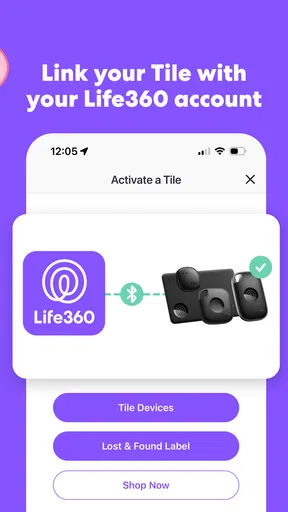
Let's talk about the setup. To get rolling, download the app from the App Store or Google Play. The installation is a breeze, and the app guides you through pairing your Tiles with your smartphone. It's all very intuitive and user-friendly, which is a big plus for someone like me who isn't a tech wizard.
Once your Tiles are connected, you can start naming them in the app. Call one "Car Keys," another "Wallet," and so on. This way, when you're on the hunt, you can easily identify which item you're looking for with a quick tap.
Features that Stand Out
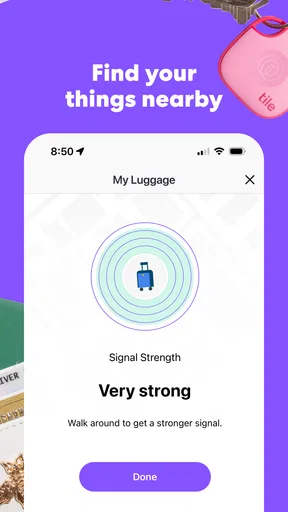
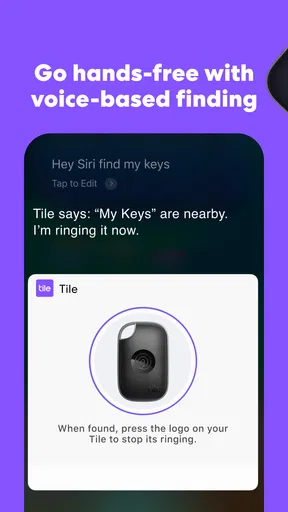
One of my favorite features is the "Ring My Tile" function. If your item is within Bluetooth range, you can use the app to make your Tile play a loud tune. It's perfect for those "I swear I left it right here!" moments.
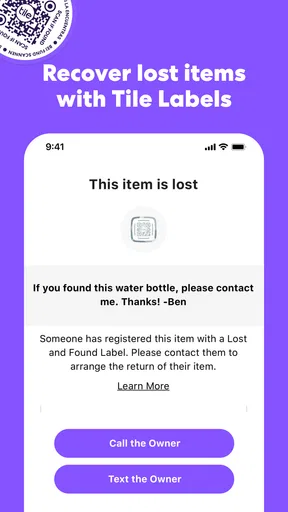
But what if your item is out of range? No worries! The app uses the power of the Tile community to help you out. When any other Tile user comes within range of your lost item, you'll get a notification of its location. It's like having a whole network of people helping you find your stuff.
Worth Reading Before You Choose

Flipboard Shows What News Apps Must Do Beyond the Feed

Switching to Android Auto Means Rethinking Your Driving Routine

Google Calendar Makes a Crowded Week Easier to Manage

Ludo King Makes the Most of the Minutes Between Plans

Baby Panda World Brings Quick Play to Modern Phones, but Its Game Library Feels Busy

ESPN’s Live Game View Makes Following Close Games Easier
Tile's Real-World Impact
Now, I know what you're thinking: does it actually work? From my experience, absolutely. I recently misplaced my backpack at a coffee shop (classic me), and thanks to the community feature, I got my bag back the next day. It's like having a safety net for your forgetfulness.
Even if you're not the forgetful type, Tile offers peace of mind. It's great for those high-stress mornings when you're already running late, and you just can't find your keys. Tile takes the edge off and makes life a little bit easier.
Pricing and Availability
So, how much is this magical service going to cost you? The app itself is free, but you'll need to purchase the Tile devices. They come in various shapes and sizes, like Tile Mate and Tile Slim, each suited for different items. Prices start at around $25, which is a small price to pay for never losing your stuff again.
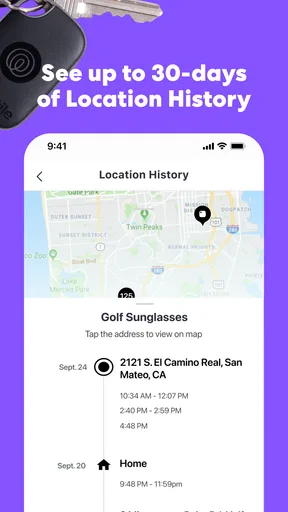
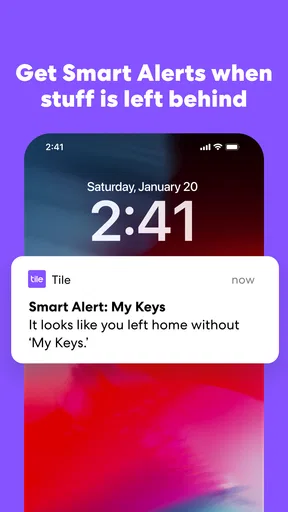
If you're really serious about keeping track of your belongings, Tile offers a Premium subscription. It includes cool extras like smart alerts and a 30-day location history. It's not necessary, but it does add a bit more functionality if you're interested.
Current Fit and Ongoing Evolution
Tile is a lifestyle app from Tile Inc., built around a practical pairing: a phone app and small Bluetooth trackers attached to belongings. The app is free, while using it to locate physical items depends on having compatible Tile hardware. Its current version is 2.141.0, and it has been available since December 16, 2014. That long-running presence matters less as a badge than as a sign that this is an established tracking ecosystem rather than a one-off utility.
The app has a 4.8 average from around 262,000 ratings, and it has passed 10 million installs. Those figures suggest many people find the basic idea useful, but they do not guarantee a tracker will recover a particular lost item. I would treat Tile as a way to improve the odds and reduce the time spent searching, not as a substitute for keeping valuables secure.
The current version number tells me which release is available now, but it does not by itself show what changed between updates. For someone already using Tile, the sensible approach is to keep the app current and check its on-screen instructions after an update, especially if a tracker has stopped responding or a phone has changed. I would not assume that a new version automatically changes the range, recovery network, or behavior of existing devices.
Everyday Workflows That Make It More Useful
A little thought at setup can make the app easier to rely on. Use names that describe the item and its role, such as “House keys” and “Work bag,” rather than vague labels like “Tile 1.” If several people in your home handle similar items, agree on those names first. That saves a distracting extra step when you are already trying to leave.
I would also choose placements based on how an item is used, not merely where a tracker fits. A key ring is straightforward, while a wallet tracker needs to sit securely without making the wallet awkward to carry. For a bag, choose a tucked-away pocket that stays with the bag during normal use. A tracker left loose in a compartment can shift, become hard to hear, or be removed along with the item.
One useful habit is to test the ring function while you are calm. Learn how to select the right item and what the sound is like in your home; then you will know what to do when keys are buried under a coat or a bag is behind a closed door. The tone can help narrow down a nearby hiding place, but it cannot tell you which drawer or pocket to check.
For a busy household, Tile works best when each tracker has a clear owner and purpose. If a shared set of keys is regularly handed between people, make sure everyone knows which item name to look for and who has the phone used to manage it. The app is most helpful when it fits an existing routine: put the keys in one usual place, and use the tracker when they are not there. It cannot prevent the everyday habit of setting things down somewhere unexpected.
What Happens When an Item Is Not Nearby?
The distinction between ringing a nearby tracker and finding one elsewhere is important. Bluetooth is useful when the item is close enough for the phone to connect; the community-based recovery feature is a separate possibility when it is outside that connection. In the latter case, another Tile user needs to come within range of the missing item before the network can help surface its location. That makes it less dependable in quiet areas or places with few participating users.
In a realistic coffee-shop scenario, I would first use the app to check whether the backpack is close enough to ring. If it is not, I would use the last location shown in the app as a clue, contact the venue, and consider the community location a possible lead rather than a live view. The app can help organize the search, but it cannot make a staff member notice a bag or guarantee that another user will pass it.
That is also why I would avoid treating a tracker as theft protection. It may help you locate an item after it is misplaced, but the app does not make a valuable bag impossible to take or ensure that it can be recovered safely. For an important item, ordinary precautions still matter: keep it with you, use a secure place, and do not confront someone based only on a tracker location.
Who Should Choose It—and Who Might Not
I think Tile is a strong fit for people who regularly misplace small belongings at home, in the office, or while moving between familiar places. It is particularly useful if the same essentials—keys, wallet, or a frequently carried bag—cause repeat searches. A physical tracker gives the app something concrete to locate, so the benefit grows when you attach it to an item you genuinely tend to lose rather than buying one for every possession.
It is less appealing if you want to track an item continuously from far away, or if you expect a tracker to work without the phone connection and community conditions it relies on. Someone who rarely loses things may find the extra device and setup more trouble than the occasional search is worth. If you only need a way to find a misplaced phone, a tracker may also be unnecessary: Tile’s store summary includes a way to find a lost phone, so check the app’s current instructions and decide whether that function alone suits your needs before buying hardware.
Tile is free to download and is rated for Everyone. Optional in-app purchases range from $2.99 to $99.99 per item, so I would look carefully at the purchase screen and distinguish app access from the cost of tracker hardware or optional paid services. The app itself does not mean that every tracking-related feature or device is included at no charge.
How It Compares with Other Ways to Find Things
Compared with simply retracing your steps, Tile adds a way to ring a nearby tagged item and a chance of getting a location update through other Tile users. Retracing remains useful because it costs nothing and can work when the tracker is out of reach; Tile is the better aid when a small device is attached to the missing object and the app can connect to it. I would use both rather than treating them as competing methods.
Compared with relying on a phone’s built-in location tools, Tile is aimed at belongings that do not have their own screen or cellular connection. That makes it a practical option for keys or a wallet, but it also means its usefulness is tied to a physical tracker and Bluetooth-based proximity. If your main goal is live, long-distance tracking, a dedicated connected tracker may be a better match, though that is a different kind of product with different costs and requirements.
There is also a trade-off between one brand’s ecosystem and using several tracking systems. Keeping your tagged items together in Tile makes their names and search routine easier to remember. If your household already relies on another tracker network, adding Tile may split attention between apps. I would choose based on the devices your family already uses and where you most often lose things, not on the assumption that one network will be equally useful everywhere.
Limits Worth Understanding Before You Rely on It
The app cannot make a tracker louder than its sound, make Bluetooth reach through every building, or guarantee a community sighting. Walls, distance, the item’s surroundings, and whether other Tile users pass nearby can all affect a search. In practice, that means the ring feature is strongest for a misplaced item somewhere around you, while recovery away from you is more uncertain.
Battery and device upkeep are part of owning any small tracker, so I would check the specific device’s guidance rather than assume every Tile has the same maintenance needs. It is also wise to check that the tracker remains attached and that its name in the app still matches the item. These small checks are easy to skip, but they matter more than having a long list of tags you rarely test.
For privacy and comfort, I would use trackers on my own belongings and be clear with household members about which items are tagged. The app’s purpose is finding objects, not secretly monitoring people. If you are buying a tracker for a shared bag or keys, tell the people who use them and agree on how the app will be managed. That simple conversation prevents confusion later.
Final Thoughts
All in all, Tile: Making Things Findable is a fantastic app paired with an ingenious product. It's simple to use, incredibly handy, and offers a real solution to a common problem. Whether you're scatterbrained or just want a little extra security, Tile is worth checking out.
If you're tired of turning your house upside down every time you misplace something, give Tile a shot. It's like having a personal assistant that specializes in finding your lost treasures. Happy hunting!
My recommendation is to start with the one item that causes you the most repeat frustration, learn the nearby ringing workflow, and see whether the app fits naturally into your day. I would not buy trackers on the promise that every lost object can be found, but for keys or a bag that regularly disappears around familiar places, Tile can turn a drawn-out search into a more focused one.
As you decide, keep an eye on how the current app handles your own phone and trackers rather than assuming every release will change the experience in a particular way. Tile’s core appeal is straightforward: a named item, a tracker attached to it, and a phone-based way to search. If that matches the problem you actually have, the app is worth a try; if you need certainty at a distance, continuous tracking, or no extra hardware, I would choose a different approach.
Pros
- Intuitive user interface for easy navigation.
- Seamless integration with smart home devices.
- Customizable alerts for item location.
- Long-lasting battery life on devices.
- Wide range of supported items and accessories.
Cons
- Requires Bluetooth to always be on.
- Limited range can be a drawback indoors.
- Subscription needed for premium features.
- Tracking accuracy can vary by location.
- No offline tracking capabilities.
FAQs for Tile: Making Things Findable
What is Tile and how does it work?
Tile is a Bluetooth tracking device that helps you locate lost items like keys, wallets, and phones. By attaching a Tile to your belongings, you can use the Tile app on your smartphone to track the location of your item within a certain range. The app shows the last known location and can ring the Tile if it's nearby.
Is the Tile app compatible with all smartphones?
The Tile app is compatible with most iOS and Android devices. It requires iOS 12.0 or later for Apple devices and Android 8.0 or later for Android phones. It's important to check the app's compatibility with your device's operating system before downloading to ensure seamless functionality.
Can I use Tile to track my phone if it's lost?
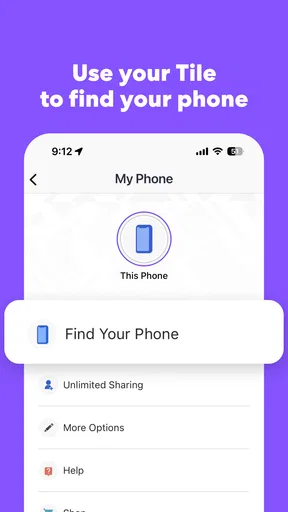
Yes, you can use Tile to find your phone even if it's on silent. By pressing the button on any Tile device, it will make your phone ring. Additionally, you can log into the Tile website on a computer to see your phone's last known location on a map.
How long does the Tile battery last and is it replaceable?
The battery life of a Tile varies by model. Most Tiles have a replaceable battery that lasts about a year, while some models are designed with non-replaceable batteries and last for about three years. The app will notify you when the battery is running low, and replacement batteries can be purchased separately.
Is there a subscription fee for using the Tile app?
While the basic features of the Tile app are free, there is an optional premium subscription called Tile Premium. This offers added benefits like smart alerts, free battery replacements, and extended location history. It's important to consider whether these features are necessary for your needs when deciding to subscribe.


